New features, improvements and fixed issues, as they reach your account.
133 updates in total
FeatureOperations
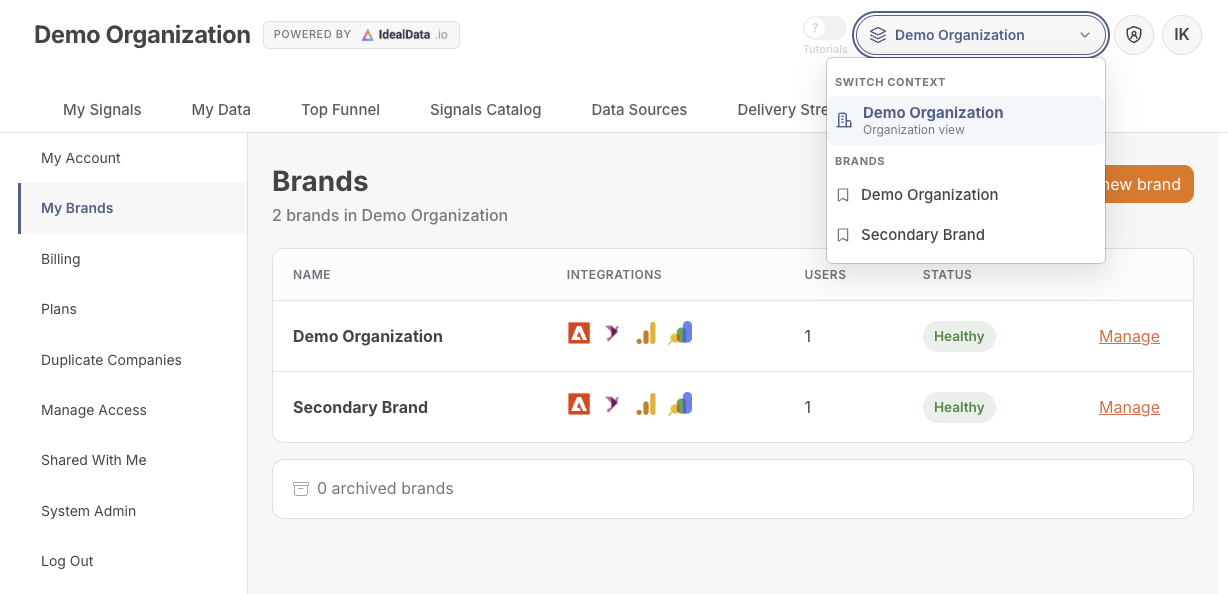
Switch between brands instantly
Enterprise organizations with multiple brands can now switch between them from the header.
Brand Switcher
If your organization manages multiple brands, you can now switch between them right from the header, without logging out or changing accounts.
Your last selected brand is remembered, so you land back where you left off next time you sign in.
Available onEnterprise
ImprovementOperations
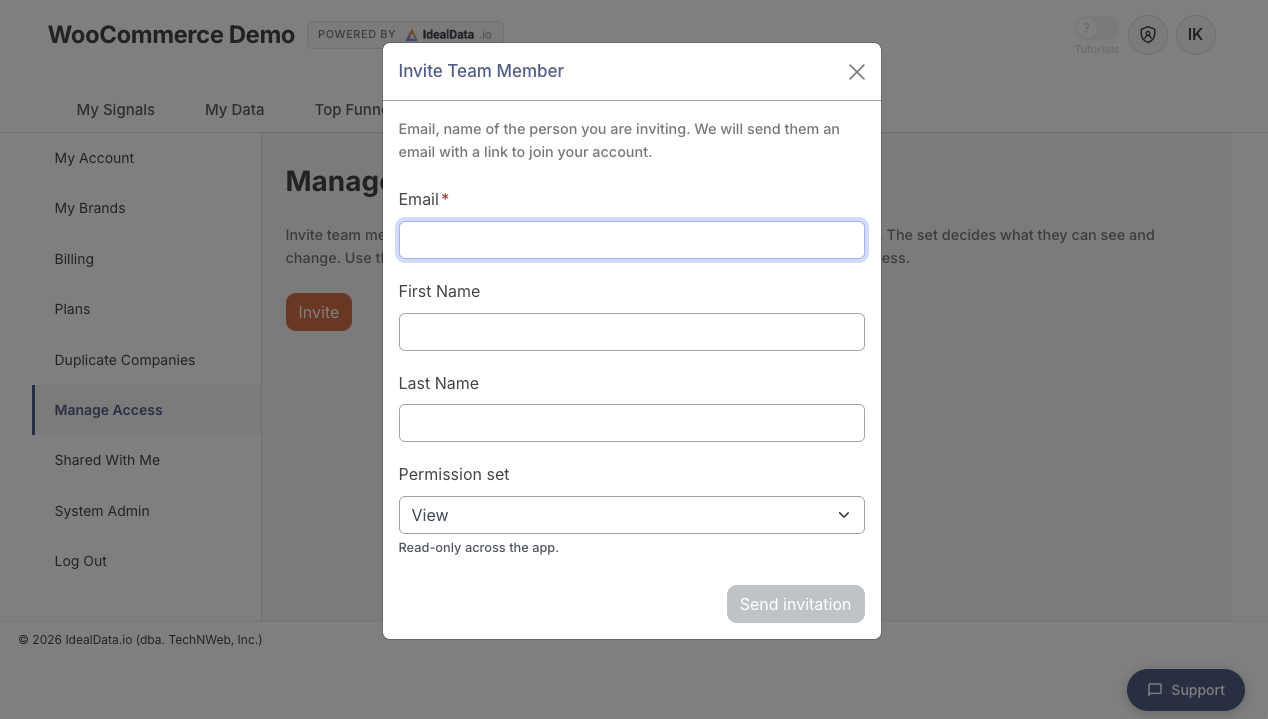
Invite teammates without leaving the app
Team invitations now use a built-in form instead of redirecting to an external page.
Invite your team
Inviting a teammate now happens entirely inside IdealData: enter their email, first name, and last name, and send the invite without being redirected to an outside page.
You'll see a clear success message once the invite is sent, and your team list updates right away.
Available onStartupBusinessCorporationEnterprise
FeatureSales
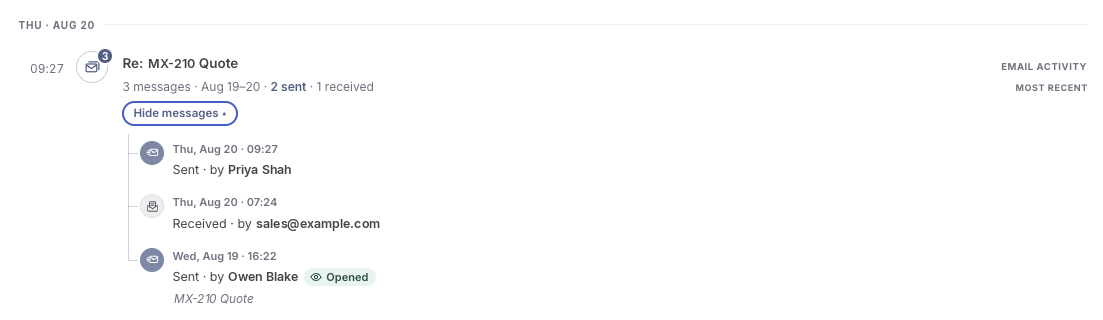
Email conversations now in journeys
Logged email conversations now appear in a shopper's journey timeline and count toward order attribution.
Email threads are now a part of customer journey
When your team emails back and forth with a shopper before they order, those conversations now show up right in that shopper's journey timeline alongside calls, cart activity and site visits. You'll see the subject line, who sent it, and whether it was inbound or outbound.
This gives you a fuller picture of what led to a sale, so you can see exactly how a conversation turned into an order.
Available onStartupBusinessCorporationEnterprise
IssueSales
Fixed timestamps showing wrong timezone
Journey and order timestamps now display in your store's time zone instead of the viewer's browser time zone.
Timestamps in a shopper's journey and on their order details now use your store's configured time zone, not the time zone of whoever is viewing the page. This includes the order's creation date shown in order details.
This keeps timing consistent for everyone on your team, no matter where they're logged in from.
Available onStartupBusinessCorporationEnterprise
FeatureSales
VIP customer online alerts
Get alerted the moment one of your top customers starts browsing your store, with a one-click way to call them.
When a high-value customer starts browsing your storefront, you'll now get an alert in Slack or Microsoft Teams showing their name, how long they've been online, and why they're a VIP (their lifetime value). The alert also appears in your feed and on their customer page, with a one-click Call Customer button so your team can reach out while they're still shopping.
This helps your team catch high-value shoppers in the moment and offer a personal touch before they move on.
Available onStartupBusinessCorporationEnterprise
IssueSales
Fixed journey first-touch mislabeling
Journey timelines across all supported platforms now correctly show the first touch and no longer mistake order confirmation pages for it.
Shopper journey timelines now correctly identify which touch was first and which one led to the order. Order confirmation pages are no longer mistaken for the first touch — this fix now covers Shopify, Adobe Commerce, BigCommerce and WooCommerce stores.
This gives you a more accurate picture of how shoppers actually found you, across every platform you sell on.
Available onStartupBusinessCorporationEnterprise
FeatureSales
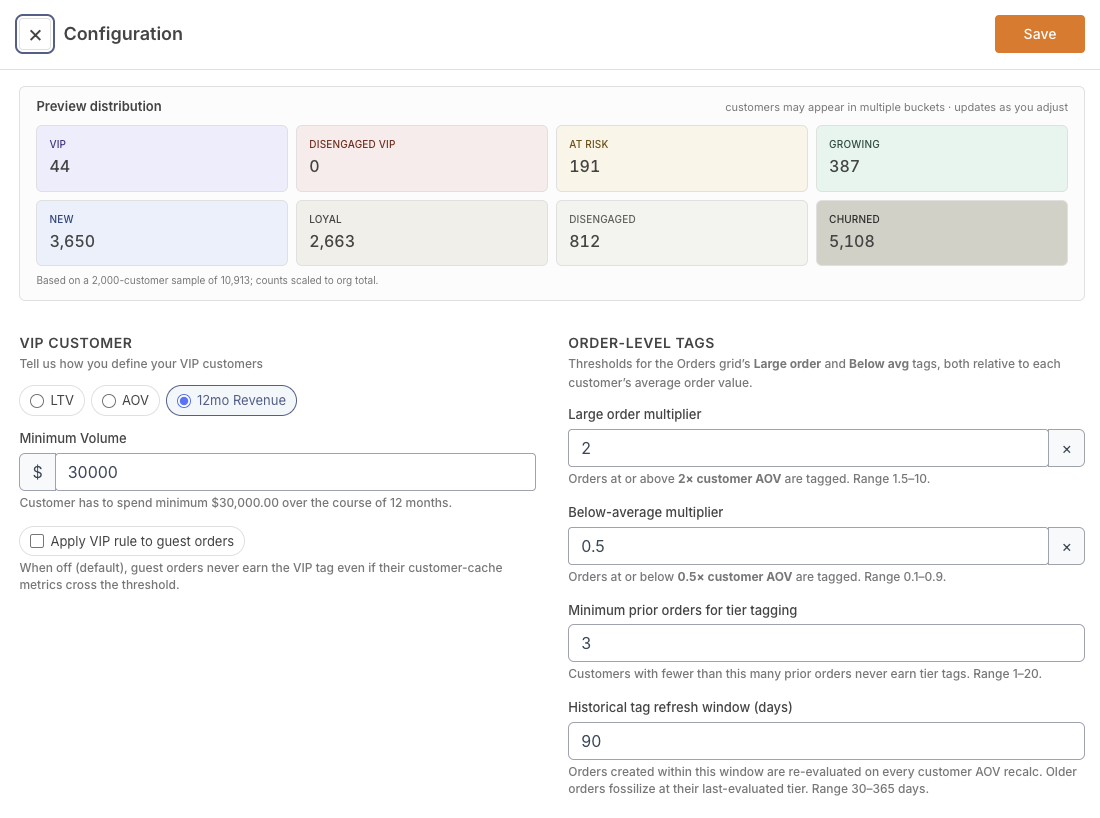
Customize VIP customer criteria
You can now define how VIP customers are identified for your store, with a live preview as you adjust the settings.
VIP configuration
You can now choose how IdealData identifies your VIP customers instead of relying on a fixed definition. Pick the method that fits your business — top lifetime-value percentile, average order value, or trailing 12-month revenue — and set your own thresholds in your segment settings. As you adjust the numbers, a live preview shows how your VIP group changes right away.
This also fixes an issue where, for stores using the lifetime-value method, the VIP calculation could misread the threshold and produce inaccurate VIP counts. VIP counts and lists across the platform now reflect your chosen definition correctly.
Available onStartupBusinessCorporationEnterprise
ImprovementSales
Site visits and cart activity in journeys
Customer journey timelines now show website visits, cart activity, and clearer labels for every step, instead of a generic middle marker.
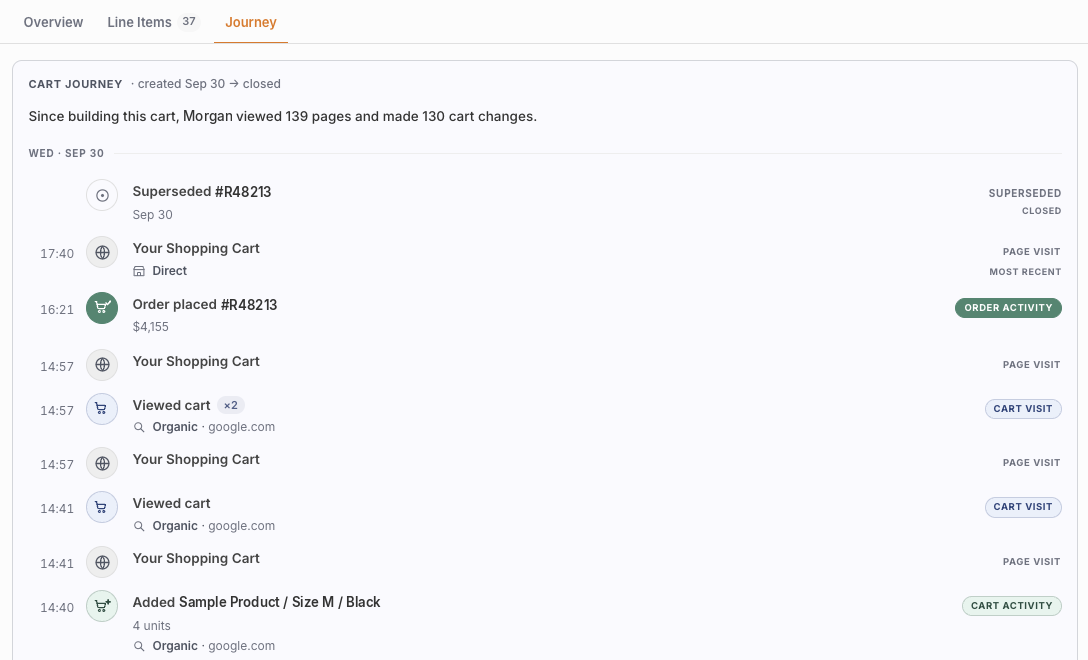
Cart customer journey
Customer journey timelines now show website visits, cart activity like items added or removed, and the order that starts the journey, with more accurate conversion status.
Every step in the timeline now gets a clear label like "Cart activity", "Page visit", or "Order activity", replacing the old generic "In between" tag. Icons also show more detail at a glance, such as whether an item was added, removed, or abandoned, so you can scan a customer's history and immediately understand what happened at each step.